
Alarm Clock Pro: Stopwatch, Ti1.8.0.0 - Google Play
You'll be able to see results in few seconds.
Publisher Description
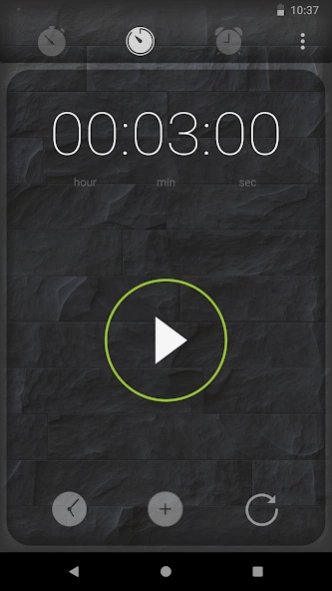
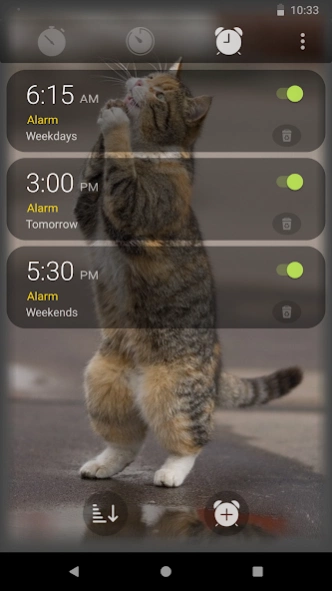
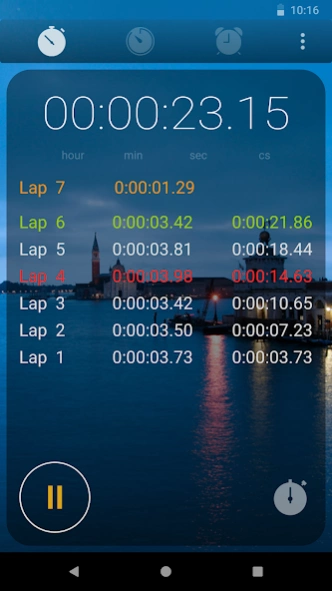
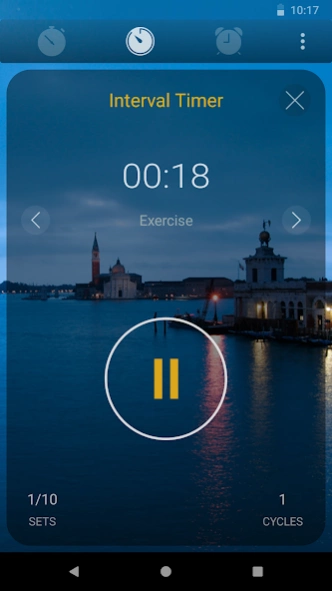
Virtual alarm clock, timer & stopwatch with modern design & advanced features.
Use Alarm Clock Pro as a kitchen timer, tomato timers, interval timer, online stopwatch, and other daily purposes. You can set the timer for sports, study, yoga, meditation, board games, your daily sunrise morning wake up call, and other activities for better time management. There are various advanced features you can access. You can set the loop or repeat function for 20 minutes, 5 minute timer, 30 minute timer, or any length of time you need. Alarm Clock Pro online also has a very modern and clean interface with interchangeable backgrounds. You can even use your own image for backgrounds.
Everyone needs a reliable time-watching device they can carry anywhere for better time management and for various purposes such as studying, exercising, cooking, sports, and other activities. People now use their Android devices as their primary digital alarm clock, online stopwatch, or timer online. You don’t have to buy separate kitchen timer or tomato timer, you can simply use your phone! All Android devices have these functions, but some people need more functionality and ability to personalize the app interface. That’s why you need to install and use Alarm Clock Pro.
THE BEST & ADVANCED FEATURES OF ALARM TIMER:
1. SET UP ALARM
You can set up multiple alarms for various purposes and name each alarm.
Set the Snooze Options: How to snooze alarm, snooze duration, how to dismiss the alarm, etc.
Volume Crescendo: You can also set up an alarm that is gradually or increasingly loud with variable max alarm volume to avoid disturbing other people around you.
Preview Alarm before using.
Turn On/ Off any Alarm.
2. SET TIMER
Custom Preset Timers: Set up to 3 custom preset timers. i.e. 5 minute timer, 20 minute, 30 minute timer.
Loop Timer: Timer will automatically repeat when finished. You can set up the number of times the timer should loop and ring repeat.
Interval Timer: Turn on the Interval Timer mode in the Timer settings. Users can create unlimited Interval Timers. You can quickly switch from one Interval Timer to another.
Select Sound Time and Sound Type.
3. STOPWATCH
Use the online stopwatch and share your Lap Times through email.
Use Volume Button to Start/ Pause stopwatch.
Fastest lap in Green and slowest lap in Red.
Max 99 laps and 1000 hours total time.
4. PERSONALIZATION
Change the interface background from many built-in wallpapers.
Select an image from your photo library as background wallpaper.
Screen timeout: keep phone screen on while the app is on the main screen.
You can’t find these advanced features on digital alarm clocks or timer apps, either they are sports, kitchen timer, or tomato timer. Despite all these advanced features, using our app is super easy. To start the clock countdown, simply press the Play button. To stop the clock countdown, press the Pause button. Press the reset button to repeat. The preset function for countdown timer helps to make your life easier because you don’t have to set up the timer every single time. For example, if you need 20 minutes, 5 minute timer, 30 minute timer, just set it up for presets and use them when you need it.
Have better time management. Use Alarm Clock Pro today!
NOTE: To make sure our app runs smoothly, please allow the app these permissions:
VIBRATE: For buttons and timer alarm.
WAKE_LOCK: Prevent device from sleeping.
INTERNET: To email Lap Times.
ACCESS_NETWORK_STATE: Checks if the device has internet.
READ_EXTERNAL_STORAGE: For selecting and setting a background from the users' photo library.
If you have any issue or feedback regarding our app, please email us at support@svsoftwaresolutions.net with app version, Android version, and device. We promise we will work hard to make sure our app runs smoothly on all devices.
About Alarm Clock Pro: Stopwatch, Ti
The company that develops Alarm Clock Pro: Stopwatch, Ti is SV Software Solutions. The latest version released by its developer is 1.8.0.0.
To install Alarm Clock Pro: Stopwatch, Ti on your Android device, just click the green Continue To App button above to start the installation process. The app is listed on our website since 2020-04-04 and was downloaded 0 times. We have already checked if the download link is safe, however for your own protection we recommend that you scan the downloaded app with your antivirus. Your antivirus may detect the Alarm Clock Pro: Stopwatch, Ti as malware as malware if the download link to com.svsoftware.alarmtimer.pro is broken.
How to install Alarm Clock Pro: Stopwatch, Ti on your Android device:
- Click on the Continue To App button on our website. This will redirect you to Google Play.
- Once the Alarm Clock Pro: Stopwatch, Ti is shown in the Google Play listing of your Android device, you can start its download and installation. Tap on the Install button located below the search bar and to the right of the app icon.
- A pop-up window with the permissions required by Alarm Clock Pro: Stopwatch, Ti will be shown. Click on Accept to continue the process.
- Alarm Clock Pro: Stopwatch, Ti will be downloaded onto your device, displaying a progress. Once the download completes, the installation will start and you'll get a notification after the installation is finished.
Program Details
System requirements
Download information
Pricing
Version History
version 1.8.0.0
posted on 2020-04-04
- Fixed alarm vibration bug.
- Re-implemented the countdown timer vibration mode.
- Fixed a bug in Interval Timer where the time didn't reset to the correct value.
version 1.7.0.0
posted on 2020-02-17
- Added a faster new time input method for countdown timer.
- For Android 10 devices: App will ask for ACTION_MANAGE_OVERLAY_PERMISSION
Note: This permission is needed for the alarm to function properly.
- Performance improvements and minor bug fixes.
version 1.5.0.0
posted on 2020-01-14
- Fixed few bugs with Stopwatch where the time showed incorrect values in some cases.
- Performance improvements and minor bug fixes.
version 1.4.0.0
posted on 2020-01-03
- Fixed alarm name entry issue in a specific case.
- Performance improvements and minor bug fixes.
version 1.3.0.0
posted on 2019-12-03
- Fixed a bug related to alarm preview.
- Performance and stability improvements.
version 1.2.0.0
posted on 2019-11-26
- Fixed alarm related issues on some newer devices.
- Fixed some minor bugs.
version 1.1.0.0
posted on 2019-09-21
- You can now select phones default ringtones as sounds for countdown timer and alarms.
- Alarm now appears as a different task in recent apps switcher menu.
- Fixed a bug that prevented built-in app sounds to play. (Thanks Mark for the feedback!)
version 1.0.0.8
posted on 2019-09-11
- Fixed selection of an image from user's photo library to set as a background.
version 1.0.0.7
posted on 2019-07-21
- Fixed a bug related to new single alarm creation.
Disclaimer
Official Google Play Link
We do not host Alarm Clock Pro: Stopwatch, Ti on our servers. We did not scan it for viruses, adware, spyware or other type of malware. This app is hosted by Google and passed their terms and conditions to be listed there. We recommend caution when installing it.
The Google Play link for Alarm Clock Pro: Stopwatch, Ti is provided to you by apps112.com without any warranties, representations or guarantees of any kind, so access it at your own risk.
If you have questions regarding this particular app contact the publisher directly. For questions about the functionalities of apps112.com contact us.
